How software wallets work and which tasks they suit
Software wallets are convenient for daily operations, DeFi, and NFT, but they require discipline: the seed phrase and dApp checks matter more than “features.”
This review covers software wallets: mobile apps, desktop clients, and browser extensions. They provide fast access to funds and are convenient for working with Web3 services (dApp).
Software wallets are suitable for address control and fast transactions without a separate device. For long-term storage of large amounts and shared access, hardware and multisig wallets are more often chosen — links are provided later in the article.
Quick wallet selection checklist
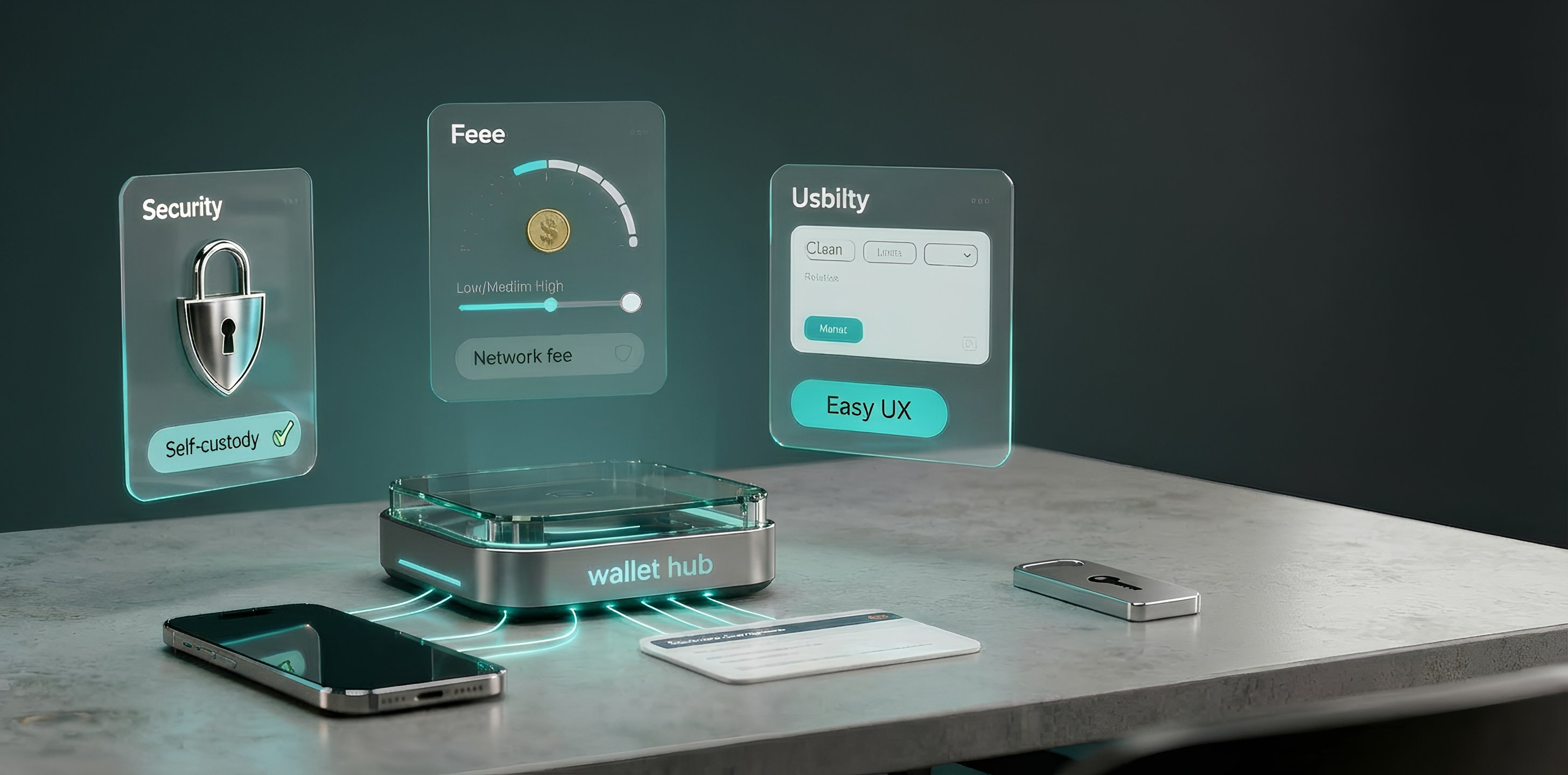
- Security: self-custody (keys are stored by the owner), local encryption, and app lock; ideally open-source code and public audits.
- Fees: no wallet-level transfer fees, gas and priority settings are available; built-in swap terms are clear in advance.
- Network support: required networks: EVM and L2 (Arbitrum, Optimism, Base), as well as Bitcoin and Solana if needed.
- Web3 features: dApp connection via WalletConnect or a built-in browser, NFT support, swaps, and bridges.
- Usability: clear interface, adequate localization, proper onboarding, and a help base (guides and FAQ).
Material updated: typical phishing schemes and the risk of “blind” signatures are taken into account, as well as the role of WalletConnect and dApp catalogs; guidance on multisig/MPC and the selection order has been added: networks → fees/spread → Web3 features → security habits.
Comparison of popular wallets: networks, features, and limitations
The table helps compare networks and core features quickly; below are short cards with a conclusion for each wallet.
| Wallet | Platforms | Networks | DeFi | NFT | Staking | 2FA |
|---|---|---|---|---|---|---|
| MetaMask | iOS, Android, extension | EVM (ETH + L2, BSC, Polygon, Avalanche…) | Yes (dApp/WC) | Yes | ETH (via partners) | No (PIN/biometrics) |
| Trust Wallet | iOS, Android, extension | 40+ (BTC/ETH/BSC/Tron/SOL/ADA…) | Yes (browser/WC) | Yes | BNB, TRX, SOL, and others | No (PIN/biometrics) |
| Coinbase Wallet | iOS, Android, extension | BTC, Solana, Ethereum + EVM | Yes (dApp/WC) | Yes | No | No (PIN/biometrics) |
| Rabby Wallet | Extension, iOS, Android, desktop | EVM (ETH + L2, BSC, Polygon, Avalanche…) | Yes (dApp) | Yes | No | No (PIN/biometrics) |
| Phantom | iOS, Android, extension | Solana, BTC, Ethereum, Polygon, Base | Yes (dApp/WC) | Yes | Solana (in the app) | No (PIN/biometrics) |
| Exodus | Windows, macOS, Linux, iOS, Android, extension | BTC, EVM, Solana, Cardano, Tron, and others | Yes (Apps) | Yes | ADA, ATOM, SOL, XTZ, and others | No (PIN/biometrics) |
| Atomic Wallet | Windows, macOS, Linux, iOS, Android | 500+ assets (BTC/EVM/SOL/XRP/ADA/DOT…) | Limited | Limited | Yes | No (PIN/biometrics) |
| Guarda Wallet | Web, desktop, iOS, Android, extension | 50+ blockchains (BTC/EVM/Monero/Cardano/Ton…) | Yes (WC) | No | Yes (several coins) | No (PIN/biometrics) |
| OKX Wallet | Web, iOS, Android, extension | 130+ (BTC, EVM, Solana, Cosmos, TON, Aptos, Sui…) | Yes (DEX/dApp) | Yes | Yes | No (PIN/biometrics) |
MetaMask
Networks: Ethereum and the EVM ecosystem (including L2).
Strong side: supported by most EVM dApp and works reliably through WalletConnect.
Limitation: does not support BTC, Solana, or Tron.
Who it suits: regular DeFi/NFT use on Ethereum and L2.
Trust Wallet
Networks: multichain (BTC, EVM, Solana, Tron, and others).
Strong side: “one wallet for everything” with strong mobile UX.
Limitation: no classic 2FA; on iOS, dApp connection usually goes through WalletConnect.
Who it suits: beginners and those who value phone-based access and a wide range of networks.
Coinbase Wallet
Networks: BTC, Solana, Ethereum + EVM.
Strong side: convenient Web3 access and spam filtering in the interface.
Limitation: no Russian localization; cloud backup increases risk if account protection is weak.
Who it suits: those needing BTC + Solana + EVM in one app.
Rabby Wallet
Networks: EVM only (Ethereum, L2, and compatible networks).
Strong side: transaction simulation and convenient dApp permission management.
Limitation: non-EVM networks (BTC, Solana, and others) are not supported.
Who it suits: active EVM DeFi users who value risk control.
Phantom
Networks: Solana, as well as BTC, Ethereum, Polygon, and Base.
Strong side: a fast, convenient wallet for Solana DeFi and Solana NFT.
Limitation: EVM support is limited to several networks (not all L2 are available).
Who it suits: those who actively use Solana and hold NFT in this ecosystem.
Exodus
Networks: broad multichain support (BTC, EVM, Solana, Cardano, Tron, and others).
Strong side: a convenient wallet for portfolio management on desktop and phone, with basic staking included.
Limitation: closed source; in-app exchange is often more expensive because of the spread.
Who it suits: those needing a multiplatform “portfolio wallet.”
Atomic Wallet
Networks: a broad list of assets, but without a strong Web3 stack.
Strong side: simple interface and basic staking for a range of coins.
Limitation: an above-average risk profile — suitable only for small amounts and temporary operations.
Who it suits: small operations or temporary use with a clear understanding of the risks.
Guarda Wallet
Networks: 50+ blockchains, including less typical ones such as Monero and TON.
Strong side: multisig for BTC/ETH and synchronization between devices.
Limitation: NFT are not displayed; service fees may apply to exchange and staking.
Who it suits: those who value rare networks and multisig without “enterprise solutions.”
OKX Wallet
Networks: very broad multichain support (130+).
Strong side: a single Web3 hub (DEX/NFT/Earn) plus MPC and smart account options.
Limitation: part of the functionality is closed; MPC requires disciplined backup key storage.
Who it suits: those who need one wallet “for almost everything” and built-in Web3 tools.
Wallet comparison by key parameters
The table helps quickly filter options by code/protection, fees, UX, and supported networks; details appear in the cards above.
| Wallet | Code | Protection | Fees | UX | Networks | Focus |
|---|---|---|---|---|---|---|
| MetaMask | OSS | local keys; 2FA — no | transfers: gas; swap/bridge — service fee | extension + mobile | EVM + L2 | maximum dApp compatibility |
| Trust Wallet | OSS | PIN/bio; 2FA — no | transfers: network; exchange — partners/service spread | mobile-first; RU | multichain (40+) | “one wallet for everything” |
| Coinbase Wallet | partially OSS | local keys; cloud backup (optional); Ledger | transfers: network; swap — service fee | simple UI | BTC + Solana + EVM | multichain without overload |
| Rabby | OSS | audits; simulation; permission control | no markups; flexible gas | for DeFi; RU | EVM + L2 | safe signing in DeFi |
| Phantom | partially OSS | anti-phishing; spam filter; Ledger | transfers: network; swap — service fee | fast UI; NFT gallery | Solana + BTC/ETH/Base/Polygon | Solana DeFi/NFT |
| Exodus | closed | local keys; Ledger/Trezor | transfers: network; exchange — service spread | clean UI; RU | multichain (250+) | portfolio + basic staking |
| Atomic | closed | 2023 incident (higher risk profile); 2FA — no | transfers: network; exchange — partners/service spread | simple UI; RU | multichain (500+) | careful use only |
| Guarda | partially OSS | multisig (BTC/ETH); Ledger | transfers: network; exchange — service spread | web/desktop/mobile; RU | multichain (50+) | rare networks + multisig |
| OKX Wallet | partially OSS | MPC/smart account; audits | transfers: network; DEX aggregator | modern UI | multichain (130+) | Web3 all-in-one (DEX/NFT/Earn) |
FAQ: key questions about security and choosing a crypto wallet
Short answers to common questions: who controls the keys, how signing risk is reduced, and where access is most often lost.
What is the difference between a custodial and a non-custodial wallet?
A custodial wallet stores private keys with the service (for example, an exchange); access is managed through the account and its rules (password, 2FA, limits, KYC).
A non-custodial wallet stores keys with the owner (on a device or in a hardware wallet); access to funds is determined by the seed phrase and by signing transactions with a private key.
How does multisig work and when should it be used?
Multisig sets an M-of-N rule: a transaction is executed only after M out of N predefined keys have signed it.
Multisig is used for shared control (treasury, fund, business wallet) and for reducing single-key risk, when the compromise of one device should not grant withdrawal rights.
Why do some wallets offer MPC and what are its advantages?
MPC (multi-party computation) stores not one private key but several cryptographic shares that jointly create a signature.
The advantage of MPC is that one stolen share does not grant access to funds, and recovery is configured by rules (for example, some shares are kept on different devices or in backup).
What risks come with enabling cloud backup of a seed phrase?
Cloud backup makes seed phrase security depend on the security of the iCloud/Google account: whoever gains access to the cloud gains access to the backup copy.
Scenarios include email compromise, SIM-swap, weak account recovery (questions/contacts), or an infected device where the cloud is already authorized.
How do network fees (gas fees) affect transactions and how can they be optimized?
Gas fee is a payment to validators/miners for including a transaction in a block; under high network load, the fee rises.
The final fee depends on network congestion and the selected inclusion priority. Cost reduction is usually achieved through L2 (Arbitrum/Optimism/Base), choosing periods of lower load, and adjusting priority if the wallet shows a confirmation estimate.
What should be checked before connecting a wallet to an unknown dApp?
The critical point is the domain (website address) and the link source: domain substitution is a common phishing scenario.
The second risk zone is dApp requests: approve for tokens, rights to NFT, and spending limit. In risk scenarios, the problem usually lies not in the “connection” itself, but in overly broad permissions.
To reduce damage, separation is often used in practice: one address for experiments and another for storage and main operations.
Can one wallet be used for several blockchains?
Yes, multichain wallets show assets from different networks in one interface and provide separate addresses (and/or accounts) by network.
The limitation is that features differ by network: the same wallet may support transfers everywhere, but offer dApp/NFT/staking only on some networks.
What is transaction simulation and how does it help?
Transaction simulation shows the expected result before signing: which tokens will be deducted, which will be received, and how balances will change.
Simulation helps detect malicious calls and stop the process if the data does not match the intended action.
How should seed phrases be stored safely?
The seed phrase is stored offline: on paper or a metal plate, so it can survive phone loss and device failure.
Digital traces (notes/messengers/photos) increase the risk of compromise; backup is usually arranged so that one loss does not remove access and one theft does not reveal everything at once.
How to choose between a software wallet and a hardware wallet?
A software wallet is convenient for frequent operations and working with dApp: keys are available on the device, and signing happens quickly.
A hardware wallet keeps the key inside the device and signs transactions there as well, so compromising the computer does not reveal the key itself. In typical usage models, roles are separated: hardware for storage, software for daily operations.
Final: choosing a wallet by access model and risk
Choosing a wallet means choosing an access and risk model: required networks, signing frequency, and withdrawal rights.
Quick choice by scenario
- DeFi on Ethereum/L2: MetaMask or Rabby — dApp compatibility and control over signatures and permissions.
- Multichain “all in one”: OKX Wallet or Trust Wallet — one wallet for many networks and Web3 features in one place.
- Solana + NFT: Phantom — fast Solana operations and a convenient NFT gallery.
- If Coinbase is used: Coinbase Wallet — BTC + Solana + EVM in one app and convenient Web3 connections.
- A wallet “for a portfolio” on desktop: Exodus — portfolio and basic features, but not the best choice for active L2 DeFi.
- Not for large amounts: Atomic Wallet — a higher risk profile after the 2023 incident.